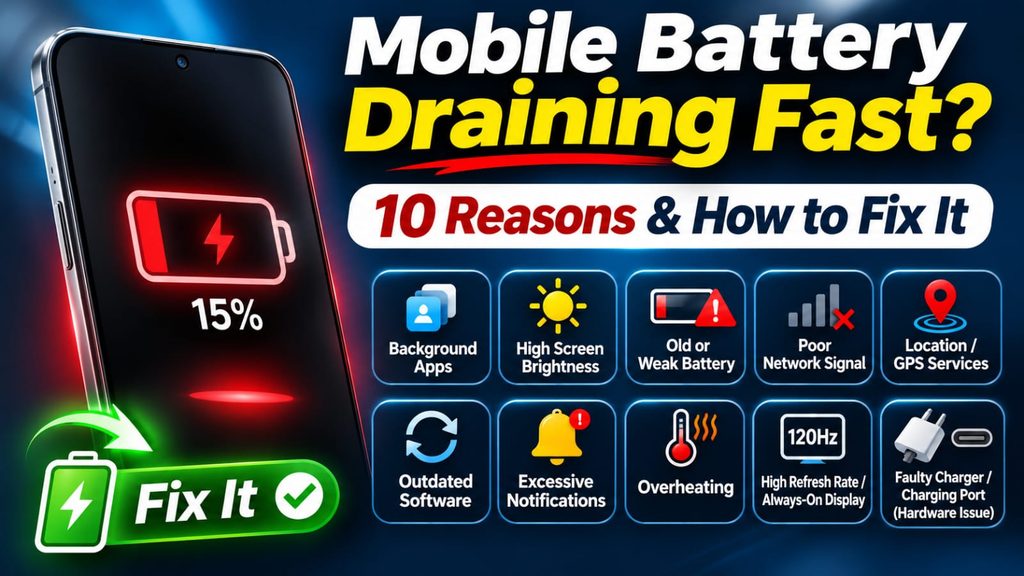
Mobile Battery Draining Fast
Is your mobile phone battery draining too fast? Does your smartphone lose battery even when you are not using it? You are not alone. Fast battery draining is one of the most common problems faced by Android and iPhone users Understanding the main causes can help you improve battery performance and extend your phone’s battery life.
A smartphone battery can drain quickly due to background apps, high screen brightness, outdated software, weak network signals, battery ageing, and other issues.
In this guide, Smart Tech Solutions explains 10 common reasons why your mobile battery drains quickly and how you can fix the problem.
This guide explains why mobile battery draining fast happens and how you can improve your smartphone’s battery life with simple settings.
1. Too Many Apps Running in the Background
When mobile battery draining fast becomes a problem, background apps are one of the first things you should check.
Many mobile applications continue running in the background even when you are not actively using them.
Apps such as social media, navigation, shopping, and messaging applications may consume battery in the background.
How to Fix It:
- Close unnecessary background applications.
- Check battery usage in your phone settings.
- Restrict background activity for apps you rarely use.
- Uninstall applications you no longer need.
2. Screen Brightness Is Too High
Your smartphone display is one of the biggest battery consumers. Keeping brightness at maximum for long periods can reduce battery backup.
How to Fix It:
- Enable Auto Brightness or Adaptive Brightness.
- Reduce screen brightness manually.
- Use Dark Mode if your phone has an OLED or AMOLED display.
- Reduce screen timeout duration.
3. Old or Weak Battery
Smartphone batteries gradually lose their capacity over time. If your phone is several years old, its battery may not hold charge as efficiently as before.
Common Signs of Battery Problems:
- Battery percentage drops quickly.
- Phone shuts down unexpectedly.
- Battery backup becomes very poor.
- Phone becomes unusually warm during normal use.
- Battery swelling or screen lifting.
How to Fix It:
If your battery health has significantly decreased, get your phone checked by a professional technician. Battery replacement may be required.
Never use a phone with a swollen battery.
4. Poor Network Signal
When your phone receives weak mobile network signals, it may use additional power to maintain connectivity.
This can happen in basements, elevators, remote areas, or buildings with poor network coverage.
How to Fix It:
- Move to an area with better network coverage.
- Use Wi-Fi calling if supported by your carrier.
- Turn on Airplane Mode when mobile network service is unavailable and you do not need connectivity.
5. Location Services Are Always On
GPS and location services can consume additional battery, especially when multiple applications continuously access your location.
How to Fix It:
- Open Location Settings.
- Review which apps have location access.
- Allow location access only when needed.
- Disable unnecessary location permissions.
6. Outdated Mobile Software
Older software versions may contain bugs that affect battery performance.
How to Fix It:
- Check for available Android or iOS updates.
- Install official software updates.
- Update applications through the official app store.
- Restart your phone after updates if necessary.
7. Too Many Notifications
Frequent notifications can repeatedly wake your display and consume additional battery power.
How to Fix It:
- Disable unnecessary notifications.
- Turn off notifications from unused apps.
- Use Do Not Disturb when appropriate.
8. Mobile Phone Overheating
Excessive heat can affect battery performance and may accelerate battery ageing.
Common reasons include heavy gaming, prolonged video recording, direct sunlight, and demanding applications.
How to Fix It:
- Avoid using your phone in direct sunlight.
- Close demanding applications when not needed.
- Remove the phone from heat sources.
- Avoid heavy usage while charging.
- Use a compatible charger.
If your phone becomes unusually hot during normal use, get it inspected.
9. High Refresh Rate and Always-On Display
Some smartphones support 90Hz, 120Hz, or higher refresh rates. These features can increase power consumption.
Always-On Display can also consume additio Smart Tech Solutions Mobile battery draining fast is a common problem for smartphone users. By following these battery-saving tips, you can reduce battery consumption, improve battery performance, and make your phone battery.
